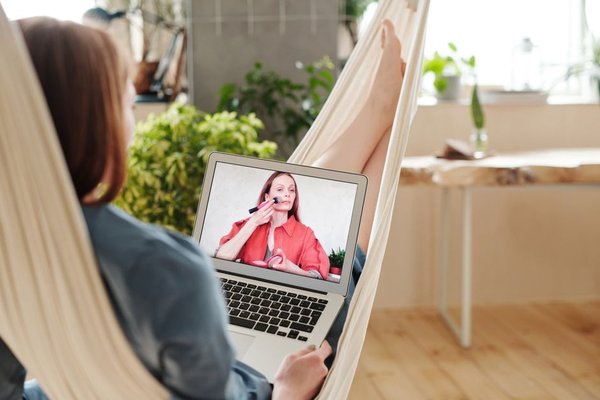
Video calls create a dress code of their own. You may be working at a kitchen table, joining a client meeting from a spare bedroom, or taking a team call between errands, yet the camera still frames you like a professional head-and-shoulders portrait. What you wear from the waist up therefore matters more than ever. A good video call outfit does not need to feel formal, but it should look intentional, comfortable, and clear on screen.
Dress for the Camera, Not Just the Mirror
An outfit that looks great in person can behave differently on a webcam. Tiny prints may look busy, bright whites can appear harsh under strong lighting, and low-contrast colours may blend into your background. Before an important meeting, open your camera preview and check the full frame rather than judging the outfit only in a mirror.
The easiest approach is to build your look around one clean, camera-friendly top. A knit polo, structured T-shirt, simple blouse, lightweight sweater, or relaxed button-down can all work. The aim is not to look overdressed. It is to create enough shape and definition that your face remains the focus.
Choose Colours That Separate You From the Background
Colour is one of the quickest ways to improve a zoom call outfit. If your wall is pale, a medium or deeper shade such as navy, forest green, burgundy, rust, charcoal, or muted blue can give your upper body clearer definition. If your background is dark, lighter mid-tones can provide better separation.
Lighting matters too. A colour that feels flattering in daylight may look different under a cool ceiling light or warm desk lamp. Test a few reliable colours on camera and remember which ones consistently work.
Prioritise Necklines and Collars That Hold Their Shape
Because webcams crop the body, the neckline becomes unusually prominent. Crew necks, modest V-necks, open collars, mock necks, and neat polo collars tend to frame the face well. Very loose necklines can shift during a call, while oversized collars may fold awkwardly depending on how you sit.
A little structure is useful when the rest of your outfit is relaxed. A soft cardigan over a fitted T-shirt creates clean vertical lines without feeling like officewear. This is a practical middle ground for video meeting fashion: comfortable at home, but composed enough for colleagues or clients.
Use Texture and Pattern Carefully
Texture can make a simple outfit look more finished on camera. Fine knits, ribbed tops, matte woven fabrics, and brushed cotton add interest without demanding attention. Shiny fabrics and reflective trims can catch light unpredictably.
Small, dense patterns may also produce a flickering or wavy effect on some cameras. If you like prints, choose a larger-scale stripe, check, or motif with clear spacing. Solid colours remain the safest option when you need dependable camera ready outfit tips for interviews, presentations, or sales calls.
Add One Deliberate Finishing Detail
When only your upper body is visible, one small detail can make the whole outfit look considered. That might be a slim necklace, simple earrings, a lightweight scarf, or a jacket layered over a plain top. You rarely need several statement pieces at once.
If you wear glasses, check for reflections from windows or lights. Moving the light higher can reduce glare.
Build a Three-Minute Video Call Formula
A dependable formula is more useful than owning a special collection of “Zoom clothes.” Keep two or three tops near your workspace that you know work with your lighting and background. Add a layer when the meeting is more formal, and keep accessories simple.
Imagine you have a 9:00 a.m. internal catch-up followed by an 11:00 a.m. client presentation. You could start in a soft navy crew-neck top for the team call, then add a structured cardigan or unlined blazer before the client meeting. The base outfit stays comfortable, but the extra layer changes the visual message in seconds.
This mini uniform also reduces decision fatigue. A useful work-from-home wardrobe guide should make mornings easier, not create another set of rules.
Check the Fit While Sitting
Many outfits are judged while standing, but video calls happen while sitting. Before a long meeting, sit at your desk and check whether the top pulls across the shoulders, bunches around the neckline, or rides up when you reach for the keyboard.
If you gesture often, make sure sleeves and cuffs do not cover your hands. A comfortable shoulder line and stable neckline will help you forget about your clothes once the meeting begins.
Match the Outfit to the Meeting
Not every call needs the same level of polish. A quick internal stand-up can be more relaxed than a job interview, client pitch, webinar, or performance review. Think in terms of one step above your normal home clothes rather than automatically recreating a full office outfit.
For casual team meetings, a clean knit or quality T-shirt may be enough. For external calls, add a collar, tailored layer, or refined accessory. For interviews and formal presentations, choose the same level of professionalism you would wear in person, then check how it reads on camera.
Related work-from-home outfit ideas can help you build a flexible wardrobe for both on-screen and off-screen workdays.
Do a Final Camera Check
Give yourself a minute to check the camera angle, background contrast, hair, collar, and lighting. Sit in your normal meeting posture rather than leaning toward the screen. This shows you what everyone else is actually going to see.
Keeping a lint roller, small comb, and neutral cardigan near your desk can also solve last-minute problems faster than changing your entire outfit.
Frequently Asked Questions
What should I wear for a professional video call?
Choose a clean, well-fitting top with a stable neckline and enough contrast from your background. A blouse, knit polo, fine-gauge sweater, button-down shirt, or structured T-shirt can all work depending on the meeting. Add a blazer or cardigan when you need a more formal finish.
What colours look best on video calls?
Medium-depth solid colours are usually reliable because they create definition without overwhelming the frame. Navy, blue, green, burgundy, rust, charcoal, and muted jewel tones often work well, but your lighting and background should guide the final choice.
Are patterns okay for Zoom meetings?
Yes, but avoid very small, tightly spaced prints that can look distorted on camera. Larger, simpler patterns are easier for webcams to render. If the meeting is important and you are unsure, a solid colour is the safer option.
Do I need to dress professionally below the waist?
You do not necessarily need formal trousers or shoes for every call, but it is wise to wear something presentable enough that you could stand up unexpectedly without embarrassment. Comfort is fine; just avoid making staying seated a requirement.
Look Polished Without Overthinking It
Good video call style is less about dressing up and more about managing what the camera sees. A flattering colour, stable neckline, comfortable fit, and one intentional detail can make a basic outfit look polished in seconds. Once you find combinations that work with your background and lighting, repeat them confidently. The best video call outfit helps you look prepared while keeping your attention on the conversation.